
State Machines
Last Updated: Oct 13th, 2026
Up until now our applications have had a single game state. Here we'll be switching between game states with a state machine.
This is going to be huge tutorial. The source code for the demo program is over 1500 lines of code. We're going to have multiple game states we're going to switching between.
For each of these stae the events, logic, and rendering work differently. To change the way your game loop works, we use a state machine to transition between the different states.
Here we're going to be using a finite state machine and there are different ways to implement it.
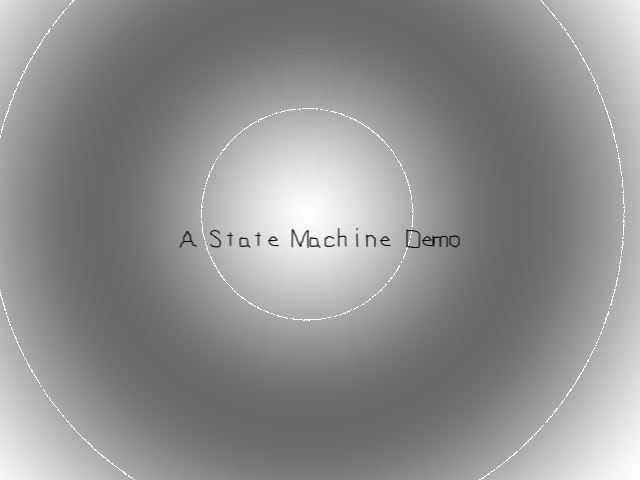
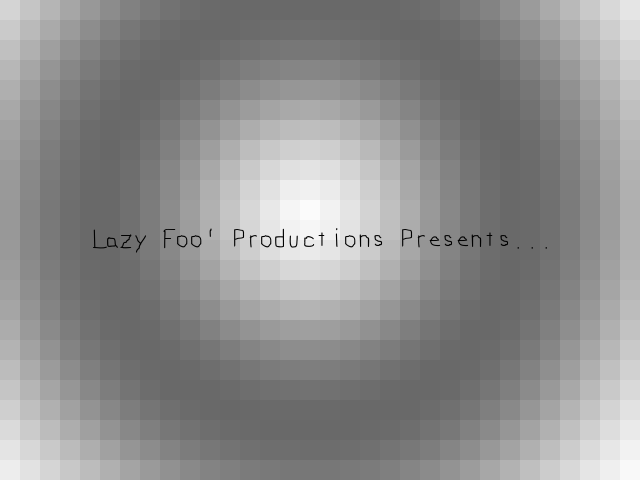
We're going to have a intro screen and title screen:
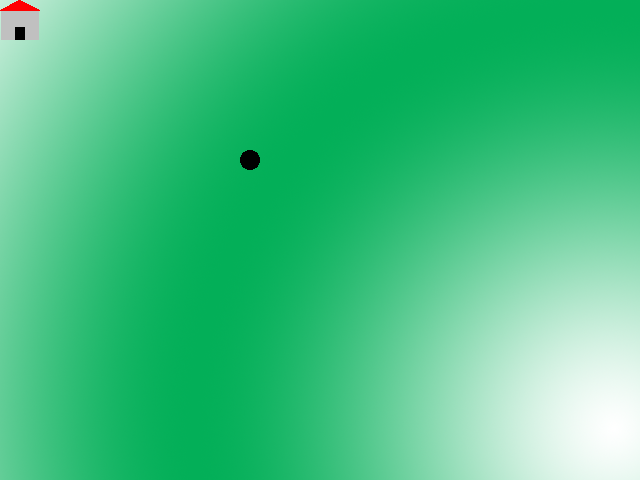
Then we're going to have an overworld you can move around in:
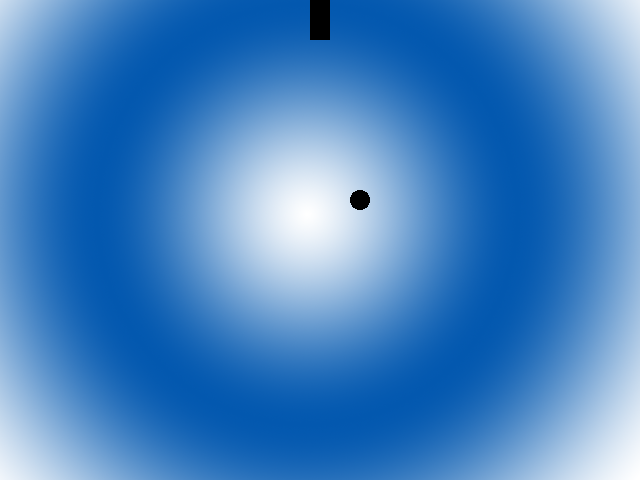
From that overworld you can enter a red room or a blue room:
For each of these stae the events, logic, and rendering work differently. To change the way your game loop works, we use a state machine to transition between the different states.
Here we're going to be using a finite state machine and there are different ways to implement it.
//Do logic
switch( gameState )
{
    case STATE_INTRO:
    intro_logic();
    break;

    case STATE_TITLE:
    title_logic();
    break;

    case STATE_OVERWORLD:
    overworld_logic();
    break;
}
Here's what a state machine's logic module would look like if it was used implementing the switch/case method where the code we run is based on a switch statement. The problem with this method is that it doesn't scale very well.
while ( quit == false )
{
    //Do events
    switch( gameState )
    {
        case STATE_INTRO:
        intro_events();
        break;

        case STATE_TITLE:
        title_events();
        break;

        case STATE_MENU:
        menu_events();
        break;

        case STATE_STAGE01:
        stage01_events();
        break;

        case STATE_STAGE02:
        stage02_events();
        break;

        case STATE_STAGE03:
        stage03_events();
        break;

        case STATE_STAGE04:
        stage04_events();
        break;

        case STATE_STAGE05:
        stage05_events();
        break;

        case STATE_BONUS_STAGE:
        bonus_stage_events();
        break;
    }

    //Do logic
    switch( gameState )
    {
        case STATE_INTRO:
        intro_logic();
        break;

        case STATE_TITLE:
        title_logic();
        break;

        case STATE_MENU:
        menu_logic();
        break;

        case STATE_STAGE01:
        stage01_logic();
        break;

        case STATE_STAGE02:
        stage02_logic();
        break;

        case STATE_STAGE03:
        stage03_logic();
        break;

        case STATE_STAGE04:
        stage04_logic();
        break;

        case STATE_STAGE05:
        stage05_logic();
        break;

        case STATE_BONUS_STAGE:
        bonus_stage_logic();
        break;
    }

    //Change the state if needed
    change_state();

    //Do Rendering
    switch( gameState )
    {
        case STATE_INTRO:
        intro_render();
        break;

        case STATE_TITLE:
        title_render();
        break;

        case STATE_MENU:
        menu_render();
        break;

        case STATE_STAGE01:
        stage01_render();
        break;

        case STATE_STAGE02:
        stage02_render();
        break;

        case STATE_STAGE03:
        stage03_render();
        break;

        case STATE_STAGE04:
        stage04_render();
        break;

        case STATE_STAGE05:
        stage05_render();
        break;

        case STATE_BONUS_STAGE:
        bonus_stage_render();
        break;
    }
}
As you can see this got cluttered pretty quickly. There's only 9 states represented here and you can only imagine how many game states a real game has.
//Run main loop
while( quit == false )
{
    //Do events
    currentState->events();

    //Do logic
    currentState->logic();

    //Change state if needed
    changeState();

    //Render
    currentState->render();
}
Here's what the object oriented method would look like. We create a base game state class with virtual functions for each part of the game loop. Then we have game state classes that inherit from the base class and override the functions to work as the game state needs them to. To
switch the game state, we simply change the game state object as needed.
Now, for these tutorials I assume you were where I was when I was starting game programming. My computer science program taught C++ over two semesters with the first semester being an intro to programming that focused mostly on C concepts with object oriented programming being taught in the second semester. These days it's much more common for students to start out with Java/C#/Python so you probably learned about inheritance and polymorphism earlier than I did. If you don't know what I mean by base class or overriding functions, we'll cover that in a bit.
Now, for these tutorials I assume you were where I was when I was starting game programming. My computer science program taught C++ over two semesters with the first semester being an intro to programming that focused mostly on C concepts with object oriented programming being taught in the second semester. These days it's much more common for students to start out with Java/C#/Python so you probably learned about inheritance and polymorphism earlier than I did. If you don't know what I mean by base class or overriding functions, we'll cover that in a bit.
class Dot
{
    public:
        //The dimensions of the dot
        static constexpr int kDotWidth = 20;
        static constexpr int kDotHeight = 20;

        //Maximum axis velocity of the dot
        static constexpr int kDotVel = 10;

        //Initializes the variables
        Dot();

        //Set position
        void setPos( int x, int y );

        //Takes key presses and adjusts the dot's velocity
        void handleEvent( SDL_Event& e );

        //Moves the dot
        void move( int levelWidth, int levelHeight );

        //Shows the dot on the screen
        void render( SDL_Rect camera );

        //Collision box accessor
        SDL_Rect getCollider();

    private:
        //Position/size of the dot
        SDL_Rect mCollisionBox;

        //The velocity of the dot
        int mVelX, mVelY;
};

class House
{
public:
    //The house dimensions
    static constexpr int kHouseWidth = 40;
    static constexpr int kHouseHeight = 40;

    //Initializes variables
    House();

    //Sets the house's position/graphic
    void set( int x, int y, LTexture* houseTexture );

    //Renders house relative to the camera
    void render( SDL_Rect camera );

    //Gets the collision box
    SDL_Rect getCollider();

private:
    //The house graphic
    LTexture* mHouseTexture;

    //Position/size of the house
    SDL_Rect mCollisionBox;
};

class Door
{
public:
    //The door dimensions
    static constexpr int kDoorWidth = 20;
    static constexpr int kDoorHeight = 40;

    //Initializes variables
    Door();

    //Sets the door position
    void set( int x, int y );

    //Shows the door
    void render();

    //Gets the collision box
    SDL_Rect getCollider();

private:
    //Position/size of the door
    SDL_Rect mCollisionBox;
};
Here are our main game objects we're going to be using for our state machine demo.
The dot should look fairly familiar with some adjustments to handle variable level sizes and setting position. The house and door classes render a house graphic and black square respectively and have functions to set their position and/or texture and get their collision boxes.
The dot should look fairly familiar with some adjustments to handle variable level sizes and setting position. The house and door classes render a house graphic and black square respectively and have functions to set their position and/or texture and get their collision boxes.
class GameState
{
public:
    //State transitions
    virtual bool enter() = 0;
    virtual bool exit() = 0;

    //Main loop functions
    virtual void handleEvent( SDL_Event& e ) = 0;
    virtual void update() = 0;
    virtual void render() = 0;

    //Make sure to call child destructors
    virtual ~GameState() = default;
};
Here is our base game state class. All our other game states are going to inherit from it. For those of you who don't know object oriented programming, when a class inherits from another class it gets all its functions and variables.
Every game state has functions to enter/exit the state on state change and main loop functions. These functions are pure virtual as indicated by the
We also have a destructor that is virtual and is set the the default which does nothing. Why do we make the destructor do nothing? Because if the destructor is not set to virtual, the derived class destructor is never called. So even if your base class destructor does nothing, you still want to set it to virtual so you know your derived classes call their destructors.
Every game state has functions to enter/exit the state on state change and main loop functions. These functions are pure virtual as indicated by the
virtual keyword and ending with a = 0; and it means these functions are empty and must be overridden by
the classes that derive from them which we'll show how to do that it a bit.We also have a destructor that is virtual and is set the the default which does nothing. Why do we make the destructor do nothing? Because if the destructor is not set to virtual, the derived class destructor is never called. So even if your base class destructor does nothing, you still want to set it to virtual so you know your derived classes call their destructors.
class IntroState : public GameState
{
public:
    //Static accessor
    static IntroState* get();

    //Transitions
    bool enter() override;
    bool exit() override;

    //Main loop functions
    void handleEvent( SDL_Event& e ) override;
    void update() override;
    void render() override;

private:
    //Static instance
    static IntroState sIntroState;

    //Private constructor
    IntroState();

    //Intro background
    LTexture mBackgroundTexture;

    //Intro message
    LTexture mMessageTexture;
};
Here is our intro state which inherits from the game state base class with
It also has a static instance of itself with
This game state just shows a background and some text so we have variables for the textures. The
So why bother with all this class inheritance? Say if we had a game state set up like this:
Say if we wanted to switch over to game state Gamma. All we have to do is this:
: public GameState. There's also protected and private style inheritance but public the the most common type. As you can see we have overridden the functions from the base class for the main loop
and to enter/exit the state. Even though you don't have to explicitly override functions, it's considered good practice to be explicit about what you are overriding.It also has a static instance of itself with
static IntroState sIntroState;. We've done static constants before, but this is our first static variable. A static class variable is a variable that is global to the class and there is one instance of it for all instances of
the class. We only want on instance of IntroState to exist, which also why we made the constructor private to make sure that another instance cannot be instantiated. We also created a get function to access our static instance of the intro state.This game state just shows a background and some text so we have variables for the textures. The
enter function will load our textures and the exit destroy them. The event handler will transition to the next state when the user presses enter, the update
function will be empty, and the rendering function will draw our textures.So why bother with all this class inheritance? Say if we had a game state set up like this:
GameStateAlpha gameStateAlpha;
GameStateBeta gameStateBeta;
GameStateGamma gameStateGamma;
GameStateDelta gameStateDelta;
GameStateEpsilon gameStateEpsilon;

GameState* currentGameState = &gameStateAlpha;
//Do GameState stuff
currentGameState->enter();
currentGameState->handleEvent( e );
currentGameState->update();
currentGameState->render();
currentGameState->exit();
Say if we wanted to switch over to game state Gamma. All we have to do is this:
GameStateAlpha gameStateAlpha;
GameStateBeta gameStateBeta;
GameStateGamma gameStateGamma;
GameStateDelta gameStateDelta;
GameStateEpsilon gameStateEpsilon;

GameState* currentGameState = &gameStateGamma;
//Do GameState stuff
currentGameState->enter();
currentGameState->handleEvent( e );
currentGameState->update();
currentGameState->render();
currentGameState->exit();
class TitleState : public GameState
{
public:
    //Static accessor
    static TitleState* get();

    //Transitions
    bool enter() override;
    bool exit() override;

    //Main loop functions
    void handleEvent( SDL_Event& e ) override;
    void update() override;
    void render() override;

private:
    //Static instance
    static TitleState sTitleState;

    //Private constructor
    TitleState();

    //Intro background
    LTexture mBackgroundTexture;

    //Intro message
    LTexture mMessageTexture;
};

class OverWorldState : public GameState
{
public:
    //Static accessor
    static OverWorldState* get();

    //Transitions
    bool enter() override;
    bool exit() override;

    //Main loop functions
    void handleEvent( SDL_Event& e ) override;
    void update() override;
    void render() override;

private:
    //Level dimensions
    static constexpr int kLevelWidth = kScreenWidth * 2;
    static constexpr int kLevelHeight = kScreenHeight * 2;

    //Static instance
    static OverWorldState sOverWorldState;

    //Private constructor
    OverWorldState();

    //Overworld textures
    LTexture mBackgroundTexture;
    LTexture mRedHouseTexture;
    LTexture mBlueHouseTexture;

    //Game objects
    House mRedHouse;
    House mBlueHouse;
};

class RedRoomState : public GameState
{
public:
    //Static accessor
    static RedRoomState* get();

    //Transitions
    bool enter() override;
    bool exit() override;

    //Main loop functions
    void handleEvent( SDL_Event& e ) override;
    void update() override;
    void render() override;

private:
    //Level dimensions
    static constexpr int kLevelWidth = kScreenWidth;
    static constexpr int kLevelHeight = kScreenHeight;

    //Static instance
    static RedRoomState sRedRoomState;

    //Private constructor
    RedRoomState();

    //Room textures
    LTexture mBackgroundTexture;

    //Game objects
    Door mExitDoor;
};

class BlueRoomState : public GameState
{
public:
    //Static accessor
    static BlueRoomState* get();

    //Transitions
    bool enter() override;
    bool exit() override;

    //Main loop functions
    void handleEvent( SDL_Event& e ) override;
    void update() override;
    void render() override;

private:
    //Level dimensions
    static constexpr int kLevelWidth = kScreenWidth;
    static constexpr int kLevelHeight = kScreenHeight;

    //Static instance
    static BlueRoomState sBlueRoomState;

    //Private constructor
    BlueRoomState();

    //Room textures
    LTexture mBackgroundTexture;

    //Game objects
    Door mExitDoor;
};
The title state looks a lot like the intro state because it's almost the same only it renders different text and background and it transitions to the overworld state.
The overworld state has more going on. It's a larger scrollable world with two house objects. When you touch the red house you go to the red room state and the blue house goes to the blue room state. The red room and blue room state are single screen rooms with a door that take you back to the overworld state. The difference between the two room states is that the background is different and the door is in a different place.
The overworld state has more going on. It's a larger scrollable world with two house objects. When you touch the red house you go to the red room state and the blue house goes to the blue room state. The red room and blue room state are single screen rooms with a door that take you back to the overworld state. The difference between the two room states is that the background is different and the door is in a different place.
class ExitState : public GameState
{
public:
    //Static accessor
    static ExitState* get();

    //Transitions
    bool enter() override;
    bool exit() override;

    //Main loop functions
    void handleEvent( SDL_Event& e ) override;
    void update() override;
    void render() override;

private:
    //Static instance
    static ExitState sExitState;

    //Private constructor
    ExitState();
};
The exit state is a stub state that only exists to handle when the user wants to exit.
/* Function Prototypes */
//Starts up SDL and creates window
bool init();

//Loads media
bool loadMedia();

//Frees media and shuts down SDL
void close();

//Check collision
bool checkCollision( SDL_Rect a, SDL_Rect b );

//State managers
void setNextState( GameState* nextState );
bool changeState();


/* Global Variables */
//The window we'll be rendering to
SDL_Window* gWindow{ nullptr };

//The renderer used to draw to the window
SDL_Renderer* gRenderer{ nullptr };

//Global assets
LTexture gDotTexture;
TTF_Font* gFont{ nullptr };

//Global game objects
Dot gDot;

//Game state object
GameState* gCurrentState{ nullptr };
GameState* gNextState{ nullptr };
In terms of new functions, we have
It probably would have been better to have this be part of a state manager class, but for the sake of brevity we'll just have global functions/variables.
setNextState which sets the state we want to transition to and changeState where we actually transition states. For new global variables we have gCurrentState which keeps track of the current running state
and gNextState which points to the state we want to transition to.It probably would have been better to have this be part of a state manager class, but for the sake of brevity we'll just have global functions/variables.
//Dot Implementation
Dot::Dot():
    mCollisionBox{ 0, 0, kDotWidth, kDotHeight },
    mVelX{ 0 },
    mVelY{ 0 }
{

}

void Dot::setPos( int x, int y )
{
    //Set position
    mCollisionBox.x = x;
    mCollisionBox.y = y;
}

void Dot::handleEvent( SDL_Event& e )
{
    //If a key was pressed
    if( e.type == SDL_EVENT_KEY_DOWN && e.key.repeat == 0 )
    {
        //Adjust the velocity
        switch( e.key.key )
        {
            case SDLK_UP: mVelY -= kDotVel; break;
            case SDLK_DOWN: mVelY += kDotVel; break;
            case SDLK_LEFT: mVelX -= kDotVel; break;
            case SDLK_RIGHT: mVelX += kDotVel; break;
        }
    }
    //If a key was released
    else if( e.type == SDL_EVENT_KEY_UP && e.key.repeat == 0 )
    {
        //Adjust the velocity
        switch( e.key.key )
        {
            case SDLK_UP: mVelY += kDotVel; break;
            case SDLK_DOWN: mVelY -= kDotVel; break;
            case SDLK_LEFT: mVelX += kDotVel; break;
            case SDLK_RIGHT: mVelX -= kDotVel; break;
        }
    }
}

void Dot::move( int levelWidth, int levelHeight )
{
    //Move the dot left or right
    mCollisionBox.x += mVelX;

    //If the dot went too far to the left or right
    if( ( mCollisionBox.x < 0 ) || ( mCollisionBox.x + kDotWidth > levelWidth ) )
    {
        //Move back
        mCollisionBox.x -= mVelX;
    }

    //Move the dot up or down
    mCollisionBox.y += mVelY;

    //If the dot went too far up or down
    if( ( mCollisionBox.y < 0 ) || ( mCollisionBox.y + kDotHeight > levelHeight ) )
    {
        //Move back
        mCollisionBox.y -= mVelY;
    }
}

void Dot::render( SDL_Rect camera )
{
    //Show the dot
    gDotTexture.render( static_cast<float>( mCollisionBox.x ) - camera.x, static_cast<float>( mCollisionBox.y ) - camera.y );
}

SDL_Rect Dot::getCollider()
{
    return mCollisionBox;
}

//House Implementation
House::House():
    mCollisionBox{ 0, 0, kHouseWidth, kHouseHeight },
    mHouseTexture{ nullptr }
{
}

void House::set( int x, int y, LTexture* houseTexture )
{
    //Initialize position
    mCollisionBox.x = x;
    mCollisionBox.y = y;

    //Initialize texture
    mHouseTexture = houseTexture;
}

void House::render( SDL_Rect camera )
{
    //Show the house relative to the camera
    mHouseTexture->render( static_cast<float>( mCollisionBox.x ) - camera.x, static_cast<float>( mCollisionBox.y ) - camera.y );
}

SDL_Rect House::getCollider()
{
    return mCollisionBox;
}

//Door Implementation
Door::Door():
    mCollisionBox{ 0, 0, kDoorWidth, kDoorHeight }
{
}

void Door::set( int x, int y )
{
    //Initialize position
    mCollisionBox.x = x;
    mCollisionBox.y = y;
}

void Door::render()
{
    //Draw rectangle for door
    SDL_SetRenderDrawColor( gRenderer, 0x00, 0x00, 0x00, 0xFF );
    SDL_FRect renderRect{ static_cast<float>( mCollisionBox.x ), static_cast<float>( mCollisionBox.y ), static_cast<float>( mCollisionBox.w ), static_cast<float>( mCollisionBox.h ) };
    SDL_RenderFillRect( gRenderer, &renderRect );
}

SDL_Rect Door::getCollider()
{
    return mCollisionBox;
}
As you can see, the dot class functions mostly the same as from the previous tutorials, only now with the ability to set the position and handling variable level widths. The house and the door classes basically function like dots that don't move. The only real difference
is that the house has a texture it renders and the door just renders itself as a black rectangle.
//IntoState Implementation
IntroState* IntroState::get()
{
    //Get static instance
    return &sIntroState;
}

bool IntroState::enter()
{
    //Loading success flag
    bool success = true;

    //Load background
    if( mBackgroundTexture.loadFromFile( "19-state-machines/intro-bg.png" ) == false )
    {
        SDL_Log( "Failed to intro background!\n" );
        success = false;
    }

    //Load text
    SDL_Color textColor{ 0x00, 0x00, 0x00, 0xFF };
    if( mMessageTexture.loadFromRenderedText( "Lazy Foo' Productions Presents...", textColor ) == false )
    {
        SDL_Log( "Failed to render intro text!\n" );
        success = false;
    }

    return success;
}

bool IntroState::exit()
{
    //Free background and text
    mBackgroundTexture.destroy();
    mMessageTexture.destroy();

    return true;
}

void IntroState::handleEvent( SDL_Event& e )
{
    //If the user pressed enter
    if( ( e.type == SDL_EVENT_KEY_DOWN ) && ( e.key.key == SDLK_RETURN ) )
    {
        //Move onto title state
        setNextState( TitleState::get() );
    }
}

void IntroState::update()
{

}

void IntroState::render()
{
    //Show the background
    mBackgroundTexture.render( 0, 0 );

    //Show the message
    mMessageTexture.render( ( kScreenWidth - mMessageTexture.getWidth() ) / 2.f, ( kScreenHeight - mMessageTexture.getHeight() ) / 2.f );
}
As mentioned before the intro state doesn't do much, just renders some text and background and transitions to the title state when the user presses enter.
First we have
First we have
get function which just gets a pointer to the static class instance. The enter function loads state assets and exit frees them. The event handler sets the transition state to the title screen state with setNextState
when they hit enter. The update does nothing because everything is a static image and rendering draws the textures to the screen.
//Declare static instance
IntroState IntroState::sIntroState;

IntroState::IntroState()
{
    //No public instantiation
}
I wanted to call attention to these to bit of the intro state implementation. When you have a static class variable, you have to instantiate it somewhere or you'll get a linker error. Also, notice how the constructor doesn't do anything. It's generally good practice to make sure the
constructor does next to nothing when you have a global or static because global/static objects are initialized in a hard to determine order. At the most they should initialize variables but you shouldn't even assume you entered the
main function before the constructor
is called.
//TitleState Implementation
TitleState* TitleState::get()
{
    //Get static instance
    return &sTitleState;
}

bool TitleState::enter()
{
    //Loading success flag
    bool success = true;

    //Load background
    if( mBackgroundTexture.loadFromFile( "19-state-machines/title-bg.png" ) == false )
    {
        SDL_Log( "Failed to title background!\n" );
        success = false;
    }

    //Load text
    SDL_Color textColor{ 0x00, 0x00, 0x00, 0xFF };
    if( mMessageTexture.loadFromRenderedText( "A State Machine Demo", textColor ) == false )
    {
        SDL_Log( "Failed to render title text!\n" );
        success = false;
    }

    return success;
}

bool TitleState::exit()
{
    //Free background and text
    mBackgroundTexture.destroy();
    mMessageTexture.destroy();

    return true;
}

void TitleState::handleEvent( SDL_Event& e )
{
    //If the user pressed enter
    if( ( e.type == SDL_EVENT_KEY_DOWN ) && ( e.key.key == SDLK_RETURN ) )
    {
        //Move to overworld
        setNextState( OverWorldState::get() );
    }
}

void TitleState::update()
{

}

void TitleState::render()
{
    //Show the background
    mBackgroundTexture.render( 0, 0 );

    //Show the message
    mMessageTexture.render( ( kScreenWidth - mMessageTexture.getWidth() ) / 2.f, ( kScreenHeight - mMessageTexture.getHeight() ) / 2.f );
}

//Declare static instance
TitleState TitleState::sTitleState;

TitleState::TitleState()
{
    //No public instantiation
}
As you can see, the title state is almost the same as the intro state, just loads different textures and it transitions to the overworld state.
//OverWorldState Implementation
OverWorldState* OverWorldState::get()
{
    //Get static instance
    return &sOverWorldState;
}

bool OverWorldState::enter()
{
    //Loading success flag
    bool success = true;

    //Load background
    if( mBackgroundTexture.loadFromFile( "19-state-machines/green-overworld.png" ) == false )
    {
        SDL_Log( "Failed to load overworld background!\n" );
        success = false;
    }

    //Load house texture
    if( mBlueHouseTexture.loadFromFile( "19-state-machines/blue-house.png" ) == false )
    {
        SDL_Log( "Failed to load blue house texture!\n" );
        success = false;
    }

    //Load house texture
    if( mRedHouseTexture.loadFromFile( "19-state-machines/red-house.png" ) == false )
    {
        SDL_Log( "Failed to load red house texture!\n" );
        success = false;
    }

    //Position houses with graphics
    mRedHouse.set( 0, 0, &mRedHouseTexture );
    mBlueHouse.set( kLevelWidth - House::kHouseWidth, kLevelHeight - House::kHouseHeight, &mBlueHouseTexture );

    //Came from red room state
    if( gCurrentState == RedRoomState::get() )
    {
        //Position below red house
        gDot.setPos( mRedHouse.getCollider().x + ( House::kHouseWidth - Dot::kDotWidth ) / 2, mRedHouse.getCollider().y + mRedHouse.getCollider().h + Dot::kDotHeight );
    }
    //Came from blue room state
    else if( gCurrentState == BlueRoomState::get() )
    {
        //Position above blue house
        gDot.setPos( mBlueHouse.getCollider().x + ( House::kHouseWidth - Dot::kDotWidth ) / 2, mBlueHouse.getCollider().y - Dot::kDotHeight * 2 );
    }
    //Came from other state
    else
    {
        //Position middle of overworld
        gDot.setPos( ( kLevelWidth - Dot::kDotWidth ) / 2, ( kLevelWidth - Dot::kDotHeight ) / 2 );
    }

    return success;
}

bool OverWorldState::exit()
{
    //Free textures
    mBackgroundTexture.destroy();
    mRedHouseTexture.destroy();
    mBlueHouseTexture.destroy();

    return true;
}
Now the over world state has more going on. When entering the state we load the state assets and then place the game objects. When we come from the red room state we put the dot next to the red house, when we come from the blue room state we put the dot next to the blue house,
and when we come from any other state (like the title screen), we put the dot in the center of the level.
A quirk of the implementation if that the currentState doesn't change until after the transition is complete, so
A quirk of the implementation if that the currentState doesn't change until after the transition is complete, so
gCurrentState actually tells us what state we're transitioning from.
void OverWorldState::handleEvent( SDL_Event& e )
{
    //Handle dot input
    gDot.handleEvent( e );
}

void OverWorldState::update()
{
    //Move dot
    gDot.move( kLevelWidth, kLevelHeight );

    //On red house collision
    if( checkCollision( gDot.getCollider(), mRedHouse.getCollider() ) == true )
    {
        //Got to red room
        setNextState( RedRoomState::get() );
    }
    //On blue house collision
    else if( checkCollision( gDot.getCollider(), mBlueHouse.getCollider() ) == true )
    {
        //Go to blue room
        setNextState( BlueRoomState::get() );
    }
}
In our event handler we handle the dot's events. In the update we move the dot and if we collide with one of the houses, we transition to the state associated with the house.
void OverWorldState::render()
{
    //Center the camera over the dot
    SDL_Rect camera{ ( gDot.getCollider().x + Dot::kDotWidth / 2 ) - kScreenWidth / 2, ( gDot.getCollider().y + Dot::kDotHeight / 2 ) - kScreenHeight / 2, kScreenWidth, kScreenHeight };

    //Keep the camera in bounds
    if( camera.x < 0 )
    {
        camera.x = 0;
    }
    if( camera.y < 0 )
    {
        camera.y = 0;
    }
    if( camera.x > kLevelWidth - camera.w )
    {
        camera.x = kLevelWidth - camera.w;
    }
    if( camera.y > kLevelHeight - camera.h )
    {
        camera.y = kLevelHeight - camera.h;
    }

    //Render background
    SDL_FRect bgClip{ static_cast<float>( camera.x ), static_cast<float>( camera.y ), static_cast<float>( camera.w ), static_cast<float>( camera.h ) };
    mBackgroundTexture.render( 0, 0, &bgClip );

    //Render objects
    mRedHouse.render( camera );
    mBlueHouse.render( camera );
    gDot.render( camera );
}

//Declare static instance
OverWorldState OverWorldState::sOverWorldState;

OverWorldState::OverWorldState()
{
    //No public instantiation
}
For our rendering, we center the camera over the dot, bound the camera, then render the background and the game objects.
//RedRoomState Implementation
RedRoomState* RedRoomState::get()
{
    //Get static instance
    return &sRedRoomState;
}

bool RedRoomState::enter()
{
    //Loading success flag
    bool success = true;

    //Load background
    if( mBackgroundTexture.loadFromFile( "19-state-machines/red-room.png" ) == false )
    {
        SDL_Log( "Failed to load blue room background!\n" );
        success = false;
    }

    //Place game objects
    mExitDoor.set( ( kLevelWidth - Door::kDoorWidth ) / 2, kLevelHeight - Door::kDoorHeight );
    gDot.setPos( ( kLevelWidth - Dot::kDotWidth ) / 2, kLevelHeight - Door::kDoorHeight - Dot::kDotHeight * 2 );

    return success;
}

bool RedRoomState::exit()
{
    //Free background
    mBackgroundTexture.destroy();

    return true;
}

void RedRoomState::handleEvent( SDL_Event& e )
{
    //Handle dot input
    gDot.handleEvent( e );
}

void RedRoomState::update()
{
    //Move dot
    gDot.move( kLevelWidth, kLevelHeight );

    //On exit collision
    if( checkCollision( gDot.getCollider(), mExitDoor.getCollider() ) == true )
    {
        //Go back to overworld
        setNextState( OverWorldState::get() );
    }
}

void RedRoomState::render()
{
    //Center the camera over the dot
    SDL_Rect camera{ 0, 0, kScreenWidth, kScreenHeight };

    //Render background
    mBackgroundTexture.render( 0, 0 );

    //Render objects
    mExitDoor.render();
    gDot.render( camera );
}

//Declare static instance
RedRoomState RedRoomState::sRedRoomState;

RedRoomState::RedRoomState()
{
    //No public instantiation
}


//BlueRoomState Implementation
BlueRoomState* BlueRoomState::get()
{
    //Get static instance
    return &sBlueRoomState;
}

bool BlueRoomState::enter()
{
    //Loading success flag
    bool success = true;

    //Load background
    if( mBackgroundTexture.loadFromFile( "19-state-machines/blue-room.png" ) == false )
    {
        SDL_Log( "Failed to load blue room background!\n" );
        success = false;
    }

    //Position game objects
    mExitDoor.set( ( kLevelWidth - Door::kDoorWidth ) / 2, 0 );
    gDot.setPos( ( kLevelWidth - Dot::kDotWidth ) / 2, Door::kDoorHeight + Dot::kDotHeight * 2 );

    return success;
}

bool BlueRoomState::exit()
{
    //Free background
    mBackgroundTexture.destroy();

    return true;
}

void BlueRoomState::handleEvent( SDL_Event& e )
{
    //Handle dot input
    gDot.handleEvent( e );
}

void BlueRoomState::update()
{
    //Move dot
    gDot.move( kLevelWidth, kLevelHeight );

    //On exit collision
    if( checkCollision( gDot.getCollider(), mExitDoor.getCollider() ) == true )
    {
        //Back to overworld
        setNextState( OverWorldState::get() );
    }
}

void BlueRoomState::render()
{
    //Center the camera over the dot
    SDL_Rect camera{ 0, 0, kScreenWidth, kScreenHeight };

    //Render background
    mBackgroundTexture.render( 0, 0 );

    //Render objects
    mExitDoor.render();
    gDot.render( camera );
}

//Declare static instance
BlueRoomState BlueRoomState::sBlueRoomState;

BlueRoomState::BlueRoomState()
{
    //No public instantiation
}
The red room and blue room state function very similarly. They both load the background and place the dot next to the door on entry. They both transition back to the over world when the dot collides with the door. The only real difference is which background they load and where
they place the door.
//Hollow exit state
ExitState* ExitState::get()
{
    return &sExitState;
}

bool ExitState::enter()
{
    return true;
}

bool ExitState::exit()
{
    return true;
}

void ExitState::handleEvent( SDL_Event& e )
{

}

void ExitState::update()
{

}

void ExitState::render()
{

}

ExitState ExitState::sExitState;

ExitState::ExitState()
{

}
As mentioned before, the exit state is just a stub state. In a real application, this would probably do some sort of clean up before exit.
bool loadMedia()
{
    //File loading flag
    bool success{ true };

    //Load glocal assets
    if( gDotTexture.loadFromFile( "19-state-machines/dot.png" ) == false )
    {
        SDL_Log( "Unable to dot image!\n");
        success = false;
    }
    //Load scene font
    std::string fontPath{ "19-state-machines/lazy.ttf" };
    if( gFont = TTF_OpenFont( fontPath.c_str(), 28 ); gFont == nullptr )
    {
        SDL_Log( "Could not load %s! SDL_ttf Error: %s\n", fontPath.c_str(), SDL_GetError() );
        success = false;
    }

    return success;
}

void close()
{
    //Clean up textures
    gDotTexture.destroy();

    //Free font
    TTF_CloseFont( gFont );
    gFont = nullptr;

    //Destroy window
    SDL_DestroyRenderer( gRenderer );
    gRenderer = nullptr;
    SDL_DestroyWindow( gWindow );
    gWindow = nullptr;

    //Quit SDL subsystems
    TTF_Quit();
    SDL_Quit();
}
Just wanted to point out that we do have some global assets used across different states.
void setNextState( GameState* newState )
{
    //If the user doesn't want to exit
    if( gNextState != ExitState::get() )
    {
        //Set the next state
        gNextState = newState;
    }
}

bool changeState()
{
    //Flag successful state changes
    bool success{ true };

    //If the state needs to be changed
    if( gNextState != nullptr )
    {
        success = gCurrentState->exit() && success;
        success = gNextState->enter() && success;

        //Change the current state ID
        gCurrentState = gNextState;
        gNextState = nullptr;
    }

    return success;
}
As you can see,
When changing states we check of there is state to change to. We exit the old state, enter the new state, then update the global state pointers. If either entering or exiting a state fails, we want to set the success flag to false so we can handle the error.
setNextState just sets the pointer to the state we want to change to. We set priority to the quit state for the edge case that the user quits the application but then in the same frame triggers another state change.When changing states we check of there is state to change to. We exit the old state, enter the new state, then update the global state pointers. If either entering or exiting a state fails, we want to set the success flag to false so we can handle the error.
            //The event data
            SDL_Event e;
            SDL_zero( e );

            //Timer to cap frame rate
            LTimer capTimer;

            //Set the current game state object and start state machine
            gCurrentState = IntroState::get();
            if( gCurrentState->enter() == false )
            {
                gCurrentState->exit();
                gCurrentState = ExitState::get();
            }
Before entering the main loop, we set the first state as the intro state and enter it. If entering the intro state fails, we want to immediately exit it.
            //The main loop
            while( gCurrentState != ExitState::get() )
            {
                //Start frame time
                capTimer.start();

                //Get event data
                while( SDL_PollEvent( &e ) == true )
                {
                    //Handle state events
                    gCurrentState->handleEvent( e );

                    //Exit on quit
                    if( e.type == SDL_EVENT_QUIT )
                    {
                        setNextState( ExitState::get() );
                    }
                }

                //Do state logic
                gCurrentState->update();

                //Change state if needed
                if( changeState() == false )
                {
                    //Exit on state change failure
                    gCurrentState->exit();
                    gCurrentState = ExitState::get();
                }

                //Fill the background
                SDL_SetRenderDrawColor( gRenderer, 0xFF, 0xFF, 0xFF,  0xFF );
                SDL_RenderClear( gRenderer );

                //Do state rendering
                gCurrentState->render();

                //Update screen
                SDL_RenderPresent( gRenderer );

                //Cap frame rate
                constexpr Uint64 nsPerFrame = 1000000000 / kScreenFps;
                Uint64 frameNs{ capTimer.getTicksNS() };
                if( frameNs < nsPerFrame )
                {
                    SDL_DelayNS( nsPerFrame - frameNs );
                }
            }
As you can see we plug in our game state calls in the corresponding parts of the main loop. We do have a special case for the exit state both for keeping the main loop going and for handling the quit event.
Notice how the
If you have completed every tutorial up to this point, you are ready to take on your Nasty Tetris Project. There are more tutorials to come but at this point you have completed what I consider to be the core tutorials. There's plenty to learn in the upcoming tutorials but there is no better teacher than getting your hands dirty. If you haven't dove into your Nasty Tetris Project (or even a Nasty Tic Tac Toe Project if you need a warm up), I would say go for it.
Notice how the
changeState game state happens outside of the update. The reason the setting of the state transition is separate from the actual transition is because you don't want to transition from a game state while in the middle of game state code. Also notice if the state transition
fails, we exit the state and set the state to exit.If you have completed every tutorial up to this point, you are ready to take on your Nasty Tetris Project. There are more tutorials to come but at this point you have completed what I consider to be the core tutorials. There's plenty to learn in the upcoming tutorials but there is no better teacher than getting your hands dirty. If you haven't dove into your Nasty Tetris Project (or even a Nasty Tic Tac Toe Project if you need a warm up), I would say go for it.
Addendum: Physics world
In this demo, we at most have 3 objects interacting in a world. In real applications you are probably are going to have much more. In real application, you'll probably want to have some sort of physics world or physics manager class that you add physic objects to. That physics
world would then handle motion and collision so you are not having to put code to update object motion in every game state. Your physics world would then update physics objects after each game state object
For a Nasty Tetris Project, you're only going to have a single piece the user is moving against of a bunch of still block so you could probably get away with not having a physics manager. Anything more complicated like a 2D platformer, you probably will.
update call.For a Nasty Tetris Project, you're only going to have a single piece the user is moving against of a bunch of still block so you could probably get away with not having a physics manager. Anything more complicated like a 2D platformer, you probably will.